The Ars Technica article Microsoft’s Secure Boot has been broken for a decade and no one noticed until now has been generating quite a lot of discussion. At least among people who work in IT security. So, here are my 2 eurocents.
Short version
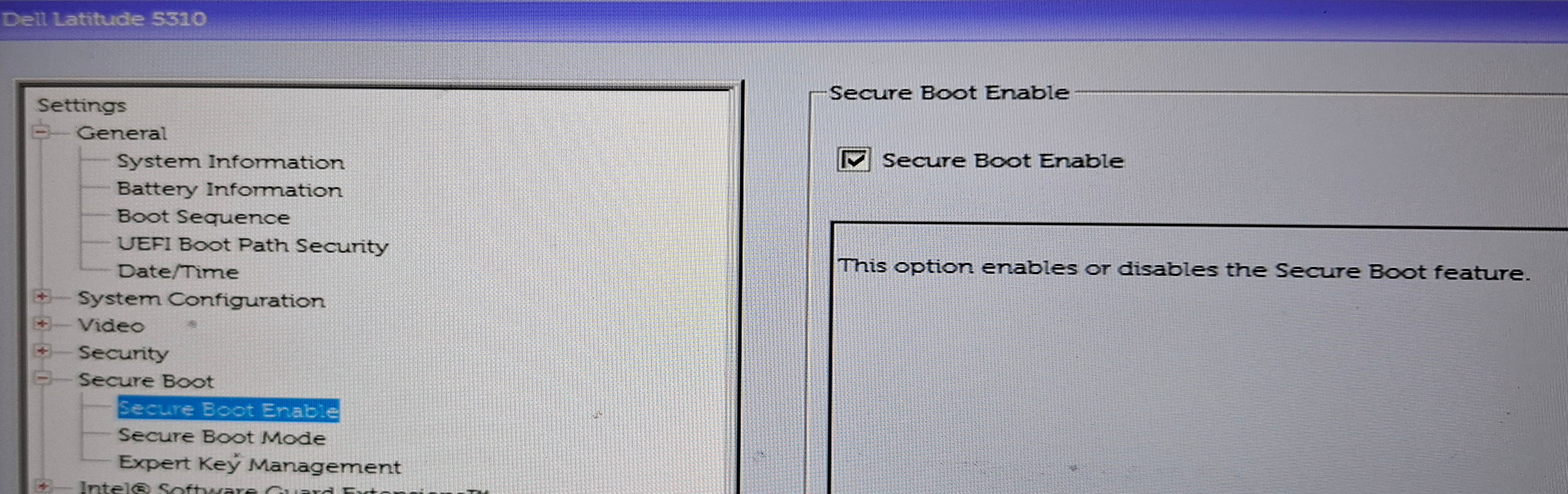
My opinion: Secure Boot has been broken since the beginning, but everyone knew that. And I keep it enabled anyway.
The article describes that ESET researchers discovered vulnerabilities in Secure Boot, some of which were present since 2013. Specifically, that Microsoft failed to revoke some shims (I’ll explain shim later). But it’s just yet another issue in the long list of problems.
Long version
Early criticism
When Microsoft announced the Secure Boot requirement in 2011, open source developers were concerned that it was designed to restrict installation of Linux. As it quickly turned out, it wasn’t the case. Whether Microsoft intended to do it but was pressured to abandon the plan, or it was really designed to improve security with no nefarious plans, we don’t know. Personally, I think it was the latter. What matters is that booting Linux with Secure Boot enabled ranges from “so easy you won’t notice the difference” to “a bit of pain but doable in a few minutes”. Although operating systems other than Windows and Linux (and more recently FreeBSD) are not supported. But in worst case, Secure Boot can be disabled.
Boot process at a glance
Secure Boot aims to improve security by making sure nobody can inject untrusted code into the boot process of the OS. It’s not a theoretical risk: boot sector viruses were pretty common on early PCs, new-style bootkits were used recently, by criminal groups and Russian intelligence. Anyone who has physical access to a computer can install such malware (so-called Evil Maid Attack, since a hotel room is an obvious place for that).
Secure Boot only makes sense if it protects the whole boot process, from UEFI up to the point where the operating system takes care of its integrity. Which means the following needs to be cryptographically signed with the trusted key:
- Windows: bootmgfw.efi (Windows Boot Manager), winload.efi (Windows Loader), ntoskrnl.exe (Windows kernel), drivers
- Linux: grubx64.efi (GRand Unified Bootloader), vmlinuz (Linux kernel), drivers (kernel modules)
Staged verification
Problem 1: countless number of Linux kernels. There are numerous distributions, each shipping several kernel versions at a time and then updates every week or two. Plus, users can build their own kernels. Plus software other than Linux and Windows (operating systems or low-level utilities).
Problem 2: even higher number of drivers on Windows.
There’s no way Microsoft can sign all the trusted code. They can sign their own bootloader and kernels, but not the drivers. They can’t sign all possible Linux kernels and, for whatever reason, decided that Linux should work with Secure Boot enabled.
So the cryptographic check comes in stages. The part that’s embedded in UEFI checks the integrity of the Windows Boot Manager directly, the Boot Manager then verifies the Windows Loader, which in turn verifies the Windows kernel.
When the computer boots Linux, UEFI only verifies shim - a small piece of software provided and signed by Microsoft whose only job is to verify the non-Microsoft next stage: usually GRUB (or a few other things: fwupd EFI update tool, FreeBSD loader, there are also ways to boot a Linux kernel without grub, but for simplicity let’s stay with the usual choice). Then, GRUB verifies the Linux kernel - it has a distro-provided key, or user’s custom key for those few people that still compile their own kernel.
Driver verification
Finally, the OS kernel verifies the drivers. Windows had this mechanism even before Secure Boot was introduced (warnings since Windows 2000, mandatory verification and various enhancements since then). For good reason: drivers had long been a vulnerable point. Drivers run in kernel space, with the highest possible privileges (unrestricted access to RAM and devices). On Linux, most drivers come with the kernel, from one trusted source, but on Windows they’re mostly provided by hardware vendors.
Linux got the mechanism for kernel module verification in 2012, and later it was tied to Secure Boot. Currently, that boils down to two kernel options: CONFIG_MODULE_SIG means that kernel can verify signatures (but wouldn’t necessarily reject them) and CONFIG_LOCK_DOWN_IN_EFI_SECURE_BOOT means that if the kernel was started with Secure Boot, it will refuse to load unverified drivers. Both are enabled in all mainline Linux distros.
Booting Linux with Secure Boot
The vast majority of Linux users use distro-provided kernel and no custom modules. For these users, Secure Boot works completely transparently. Until I checked, I wasn’t even sure if the laptop I’m writing this on, has it enabled. If you’re curious, the easiest way is mokutil --sb-state. Or if you don’t have mokutil, indirectly with cat /sys/kernel/security/lockdown (that means that kernel enforces driver verification which is not 100% proof, as you can enable it on a non-Secure Boot system).
If you have custom kernel or modules, you need to sign them with your own key and make GRUB trust this signature. Definitely annoying for someone who just needs one extra driver. If you compile your own kernel, you’re a hardcore user and wouldn’t mind running a few extra commands anyway. Maybe one day I’ll write a kernel compilation guide (I used to run a custom kernel in the early 2000s, but today I only do it on embedded devices).
Problem with Secure Boot
Given the distributed nature of the trust system, involving Microsoft, hardware vendors (and firmware is notoriously buggy), Linux distributions and a few other entities, you might be wondering if it’s possible to keep it vulnerability-free? Of course it isn’t! Here are just a few examples of best-known exploits:
| Date | CVSS score | Platform | URL |
|---|---|---|---|
| 2013-08-01 | No CVE assigned | Windows | Black Hat 2013 demo (Bulygin/Furtak/Bazhaniuk) |
| 2013-09-01 | No CVE assigned | Windows | Defeating Signed BIOS Enforcement (Kallenberg/Butterworth/Kovah) |
| 2015-01-05 | No CVE assigned | Cross-platform (UEFI firmware) | VU#976132 (S3 resume boot script / Venamis, Wojtczuk/Kallenberg) |
| 2020-07-29 | 8.2 | Linux | CVE-2020-10713 (BootHole) |
| 2023-05-09 | 6.7 | Windows | CVE-2023-24932 (BlackLotus) |
| 2023-12-06 | 8.2 | Cross-platform (UEFI firmware) | CVE-2023-40238 (LogoFAIL) |
| 2024-02-06 | 9.8 | Linux | CVE-2023-40547 (shim HTTP boot) |
| 2024-07-26 | 8.2 | Cross-platform (UEFI firmware) | CVE-2024-8105 (PKfail) |
| 2026-07-14 | 7.8 | Linux | CVE-2026-8863 (forgotten shims) |
The cryptographic mechanism usually works perfectly (there were some rare exceptions). The exploits work either before the signature check (in UEFI firmware), use a leaked trusted key, or use a vulnerability in a component that already passed the verification.
Key revocation
The new vulnerabilities that everyone is talking about are caused by forgotten shims. Microsoft should revoke the keys to make them untrusted. They usually do, although it’s not the first time they forgot. But, the list of revoked keys needs to be written into UEFI. So the main problem is: how often do you update firmware? How often most people do?
So, is Secure Boot really broken?
Sort of. The old vulnerabilities were fixed. New ones will be discovered. That can be said about any software. Although some software I trust more, some less. Secure Boot, with its history and distributed trust model, falls in the latter category.
I keep it enabled anyway. It’s low on my list of priorities, way after encrypted storage, password hygiene and keeping the system patched. But since it doesn’t cause any issues for my system, there’s really no cost in enabling it. An imperfect security is better than none. If someone wants to install a bootkit on my unattended laptop (which is already unlikely) and Secure Boot turns a 5 minute job into a 30 minute job, that might be enough to stop the attempt.